Login Sign Up
Advert
Your ad spot
Reserve this exclusive slot for the selected period.
Buy advertising →
Gaming

Microsoft releases preview of Xbox Full Screen Experience for MSI Claw

1 min read 08.12.2025

Microsoft launches the Xbox Full Screen Experience preview for MSI Claw gaming devices in Windows 11 Insider Preview.

Image for article - Microsoft releases preview of Xbox Full Screen Experience for MSI Claw
Advert
Your ad spot
Reserve this exclusive slot for the selected period.
Buy advertising →

Microsoft has announced the launch of the preview version of the new Xbox Full Screen Experience (FSE) feature for MSI Claw devices as part of the latest build of Windows 11 Insider Preview. This feature adds console-like navigation for portable gaming devices running Windows.
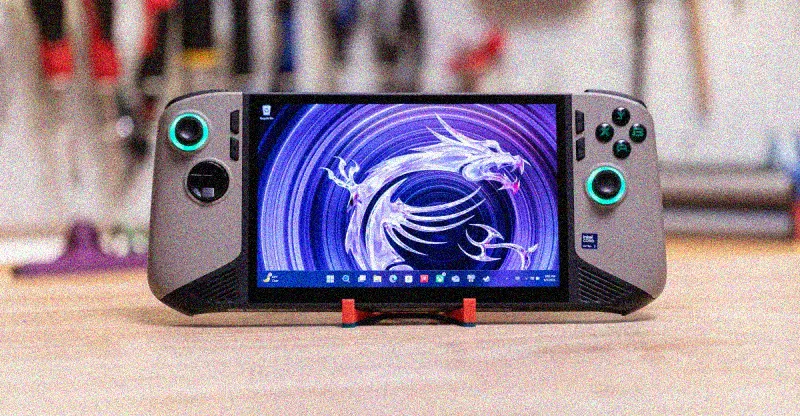
Microsoft releases preview of Xbox Full Screen Experience for MSI Claw

FSE previously debuted on the Xbox Ally and Xbox Ally X models earlier this month, but users encountered several issues. To activate Xbox FSE on supported devices, navigate to Settings > Gaming > Full Screen Mode and select Xbox as the home app. Once activated, the feature can be launched through Task View or Game Bar, and users can also configure it to start in full-screen mode when the device is turned on.

Advert
Your ad spot
Reserve this exclusive slot for the selected period.
Buy advertising →

Microsoft has reported that support for Xbox FSE will be available on other devices from various manufacturers in the coming months. In particular, the Lenovo Legion Go 2 will receive this feature next year. MSI Claw users are advised to wait for the installation until current issues are resolved and the feature becomes more stable and accessible to a broader audience.

Share Facebook X Telegram

Comments

No comments

Add Comment

0 / 2000