Artificial Intelligence
iOS 26: All New Lock Screen Customization Features for iPhone
2 min read
08.12.2025
Discover all the new lock screen customization features in iOS 16 for iPhone, including a fresh clock design and animated albums.
New Lock Screen Customization Features in iOS 26
Apple has updated iOS to version 26, now available for most iPhone models. This update brings a range of new features and changes that allow for more flexible lock screen customization.
How to Update the System
To download iOS 26, go to the Settings > General > Software Update menu. From there, your device will check Apple's servers for updates. Wait for the update availability message to appear and tap Update Now.
New Features and Their Capabilities
Liquid Glass
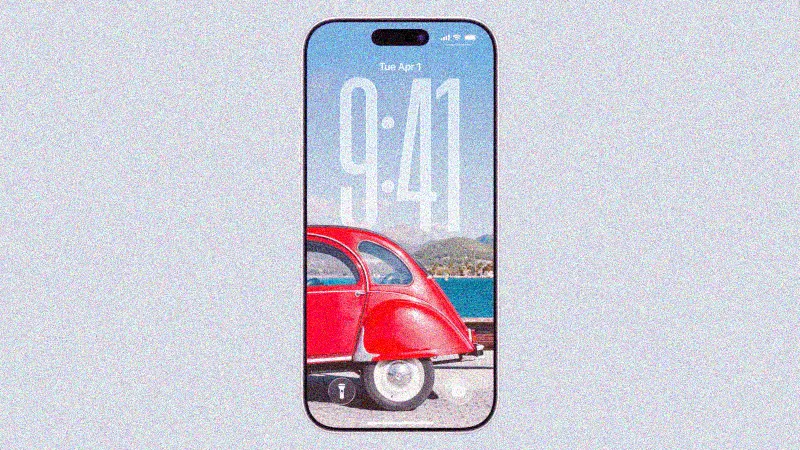
One of the most significant innovations is the clock design in the "liquid glass" style. This semi-transparent material reflects the surrounding environment and refracts light. It helps focus on content and adds a fresh look to the lock screen. To change the clock style, press and hold the screen, select "Customize," tap on the time, and choose "Glass." Here you can change the color and style.
Widget Movement
In previous versions, widgets were fixed below the clock. In iOS 26, you can now drag them down to the bottom of the screen, making them easier to access with one hand. To do this, tap "Customize," drag the widget frame to the bottom of the screen, and save the changes.
Clock Size Adjustment
You can now increase the clock size to make it more readable. In customization mode, drag the handle in the bottom right corner of the clock frame to expand it. If desired, you can decrease its size by dragging it upwards. This allows for better adaptation of the appearance to your needs.
Creating Spatial Scenes from Wallpapers
The iOS 26 model can transform 2D images into a 3D effect — a spatial scene. By selecting an appropriate photo, the system automatically analyzes it and creates a depth map. This works using generative artificial intelligence, which does not require special resources and is supported on iPhone 12 models and newer. While browsing wallpapers, you will see a switch to enable this feature.
Animated Album Covers
iOS 26 introduces the ability to display full-screen animated album covers in the music app. This creates a more immersive listening experience, especially when tapping on the cover in the player. While this feature is already available for personal recordings and Apple Music, it is expanding to third-party apps like Spotify and YouTube Music.
Overall, iOS 26 offers significant opportunities for lock screen personalization, making it more convenient and stylish.
 TGLIST.COM.UA
Comments
No comments
Add Comment