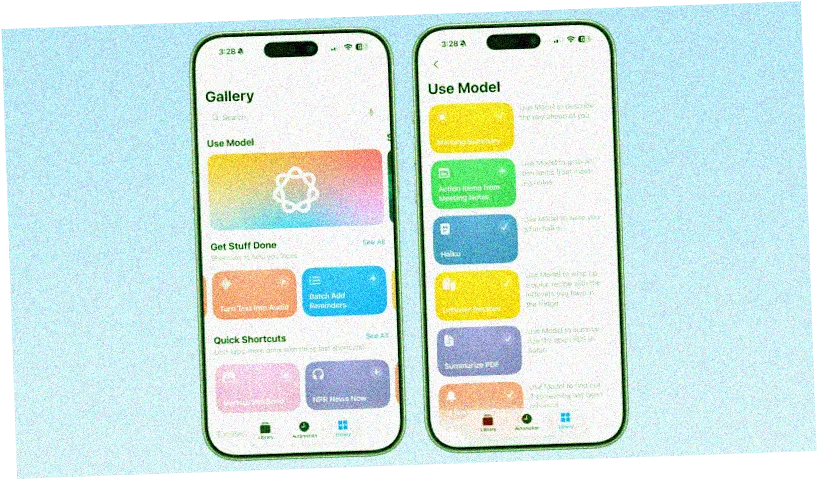
Here's what you can do with the new Apple Intelligence Shortcuts app in iOS 26. Apple has completely revamped the Shortcuts app for iOS 26, iPadOS 26 and macOS Tahoe, adding the ability to utilize Apple Intelligence models for various tasks. With this app, users can automate PDF summarization, create recipes, answer questions, and much more. The Gallery features several pre-configured shortcuts that are easy to select in iOS 26. Here are a few of them: - **Morning Summary** — the model helps describe your day. - **Meeting Notes Action Items** — quickly get a list of tasks. - **Haiku** — create a fun haiku. - **Leftover Recipes** — quickly prepare a dish from what's in the fridge. - **Summarize PDF** — briefly outline the content of an open PDF in Safari. - **Is Season 3 of Severance Out?** — find out information about the series release. - **ASCII Art** — create artistic images in ASCII style. - **Document Check** — compare and analyze documents. - **Reminder Roulette** — move non-urgent reminders to tomorrow. - **Start with Language Models** — a guide to using language models with examples. In addition to standard shortcuts, users can create their own scripts that incorporate Apple's artificial intelligence. These are available through the new Apple Intelligence section, where you can choose a model — on-device, in the cloud with Private Cloud Compute, or ChatGPT. This opens up extensive automation possibilities, such as accessing Visual Intelligence or generating images using Image Playground. The app also offers tools for working with text: adjust tone, edit, create lists, summarize, or rewrite texts. By selecting the appropriate option, users can submit queries, operate within the constraints of the model provided by Apple, and integrate it with other shortcut functions. Thanks to integration with the Weather, Calendar, and Reminders apps, you can receive brief summaries and analyses directly from your data. As iOS 26, iPadOS 26, and macOS Tahoe are in the early stages of beta testing, Apple is continuously enhancing these capabilities and expanding the app's functionality.
Artificial Intelligence
What You Can Do with Apple Intelligence Shortcuts in iOS 26
Explore new features of the Apple Intelligence Shortcuts app in iOS 26 for summarizing, generating recipes, and much more!

Your ad spot
Reserve this exclusive slot for the selected period.
Your ad spot
Reserve this exclusive slot for the selected period.
Comments
No comments
Add Comment